Ropode AFM DFM Disabler Install Guide: Five Minutes Under the Dash
A Ropode AFM DFM disabler install is one of the few jobs on a modern truck that genuinely takes less time than reading about it. There is no wiring, no tuning software, no trip to a shop. You find the OBD-II port, push the module in, and start the engine. Most owners are done inside five minutes.
That simplicity is also where the mistakes come from. Because nothing physically resists you during the install, there is no obvious feedback telling you whether the module is actually doing its job. This guide covers the whole sequence: what to confirm before you order, where the port hides on each GM platform, how to seat the module properly, and — the part most instructions skip — how to verify that cylinder deactivation is genuinely switched off.
Before You Start the Ropode AFM DFM Disabler Install
Two things need checking before the module ever leaves the box, and both take under a minute.
First, confirm your engine actually uses cylinder deactivation. GM's Active Fuel Management appears on 5.3L and 6.2L V8s from roughly 2007 through 2018. Dynamic Fuel Management replaced it on the 2019-and-newer L84 and L87 engines. These are different systems, and a module written for one will not always control the other. If the product listing does not name your model year explicitly, treat that as a fitment risk rather than an oversight.
Second, confirm nothing else is living in your OBD-II port. Insurance telematics dongles, fleet trackers and aftermarket gauge interfaces all use the same connector, and only one device fits at a time. Splitters exist, but they introduce their own communication faults on some vehicles, so plan to free up the port properly if you can.
What You Need for the Ropode AFM Disabler Install
Nothing beyond the module itself and a flashlight. No tools, no jack, no laptop. If you want to verify the result afterwards — and you should — add a cheap Bluetooth OBD-II reader and a scan app to the list. That is optional for the install but genuinely useful for confirming it worked.
Where to Find the OBD-II Port on Your GM Truck
Federal regulations require the OBD-II connector to sit within reach of the driver's seat, so it is always somewhere under the dash on the driver's side. Exactly where depends on the platform.
On the Silverado 1500 and Sierra 1500 from 2007 through 2013, the port sits low on the underside of the dash, just left of the steering column and slightly forward. You will usually feel it before you see it. On the 2014 through 2018 trucks, GM moved it slightly inboard, closer to the centre console side of the knee bolster.
On the Tahoe, Suburban, Yukon and Escalade, the port is generally a little higher and further back than on the pickups, tucked above the pedal assembly. Escalade owners often find a small trim panel partially shrouding it, which is why a low-profile module is worth considering on those vehicles.
On 2019-and-newer trucks and SUVs running DFM, the location is broadly similar to the late AFM trucks, though the surrounding trim is tighter. A flashlight makes this far easier than feeling around blind.
The Ropode AFM DFM Disabler Install, Step by Step
The sequence matters more than most people expect, because some modules read vehicle data during the initial handshake and behave unpredictably if the ignition state changes mid-insertion.
- Switch the ignition fully off. Not accessory mode — off, key out or fob removed.
- Locate the OBD-II port and check it is clear of dust and debris.
- Align the module with the connector. The trapezoidal shape only fits one way; never force it.
- Push firmly until it seats. You should feel it bottom out rather than sit loose.
- Start the engine and let it idle for a minute before driving.
- Check the module's indicator light, if it has one, against the manufacturer's documentation.
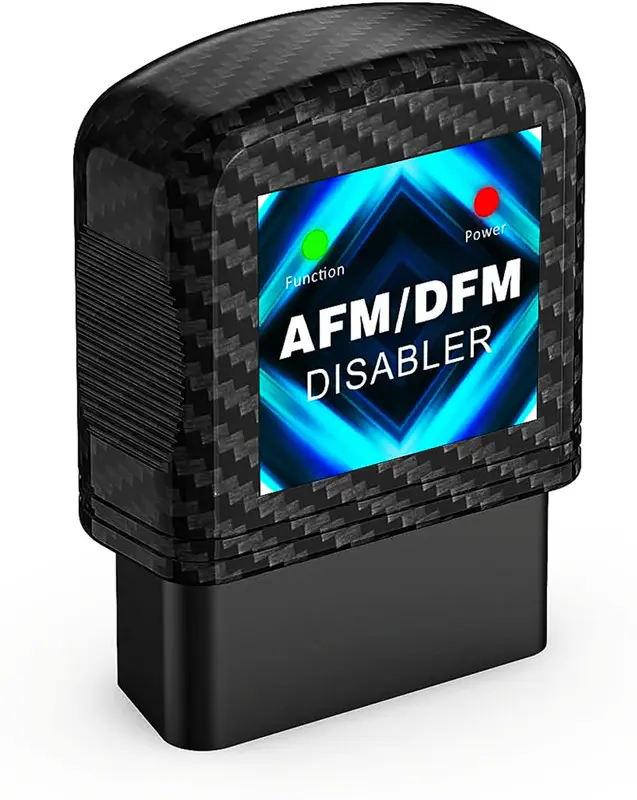
Editor's pick · 5.3L
Ropode AFM DFM Disabler — 5.3L Daily Driver Pick
The straightforward plug-and-forget option for a high-mileage 5.3L half-ton. A sensible starting point if this is your first module — confirm your model year on the listing before ordering.
Buy on AmazonWe may earn commission from links in this article, at no extra cost to you.
Why the Ropode AFM Disabler Install Order Matters
Plugging a module in with the ignition already on means it starts reading a data stream that is already mid-conversation. Most units handle this fine; some need a full key cycle before they arm correctly. Starting from ignition-off removes the variable entirely, and it costs you nothing.
How to Confirm the Ropode AFM DFM Disabler Actually Worked
This is the step nearly every set of instructions leaves out, and it is the one that separates a successful install from a module that has been sitting in the port doing nothing for eight months.
The reliable method is to watch the cylinder-mode parameter on a scan tool. Pair a Bluetooth OBD-II reader with an app that can display live data, find the parameter labelled something like Cylinder Deactivation Mode, Active Fuel Management Status or DFM Active, and drive normally.
Without a disabler, that parameter will switch between V8 and V4 states repeatedly during light-throttle cruising — most obviously on flat highway at a steady speed. With a working module installed, it should stay locked in V8 mode and never switch.
If you have no scan tool, there are softer signals. Many owners report a subtle change in how the transmission behaves at light throttle, and some notice that the faint drone associated with four-cylinder mode disappears. These are suggestive rather than conclusive, which is why the scan tool remains the better answer.
Common Ropode AFM DFM Disabler Install Problems
Almost every failed install traces back to one of four causes.
- Wrong system. An AFM-era module fitted to a 2019+ DFM truck may do nothing at all.
- Module not fully seated. A partial connection can power the indicator light while failing to communicate.
- Module disarms at key-off. Some units need re-triggering on each start; check whether yours re-arms automatically.
- Port already occupied by a splitter that is interfering with the data stream.
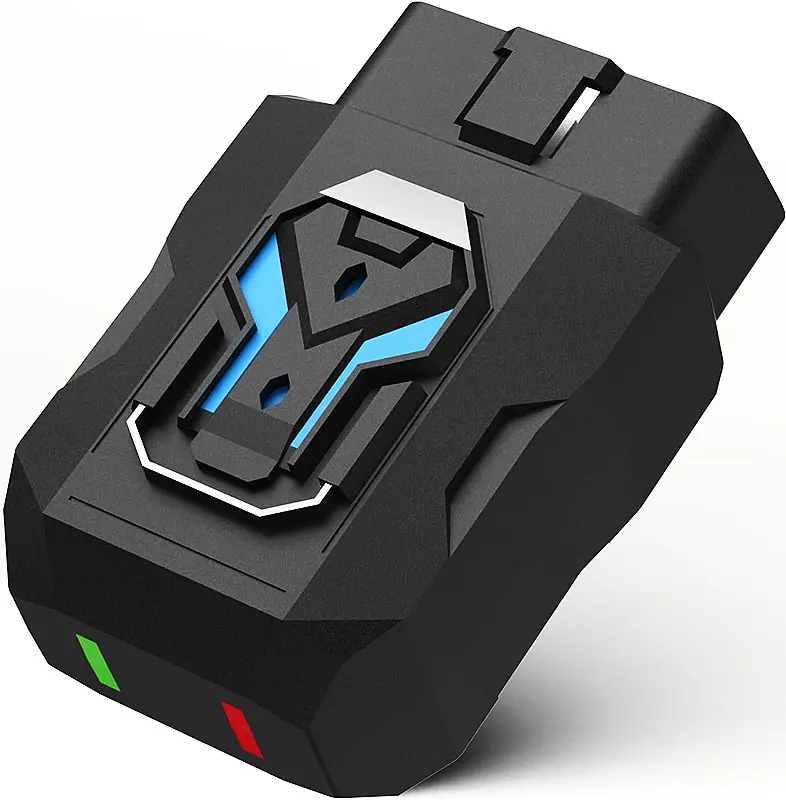
If you drive short trips
Ropode AFM Disabler — Auto Re-Arm Option
Re-engages on its own at every start instead of needing a button press. If your driving is mostly short trips, this single feature matters more to long-term satisfaction than anything else on the spec sheet.
Buy on AmazonAfter the Ropode AFM Disabler Install: What Not to Expect
A disabler prevents cylinder deactivation from engaging. It does not repair anything that has already failed. If your engine had a lifter tick, a misfire code or a rough idle before the install, it will still have them afterwards — that is a mechanical repair, not a software condition.
You should also expect a small fuel economy penalty. Cylinder deactivation exists to save fuel, so switching it off costs some back. Around one to two MPG on the highway is the range owners commonly report. That trade is the entire point of the device, but it is worth knowing before you start watching the gauge.
Frequently Asked Questions
Do I need to remove the Ropode AFM DFM disabler for service?
Not usually, but the OBD-II port is exactly where a technician will connect their scan tool. Removing it before a dealer visit avoids questions and saves them asking you to pull it anyway.
Will the install throw a check engine light?
It should not. These modules prevent a mode change rather than disabling a monitored emissions component. If a light appears immediately after installation, unplug the module and see whether it clears.
Can I leave it plugged in permanently?
Most owners do. Draw is very low, though if you park a vehicle for months at a time, unplugging it removes one more small load from the battery.